
Table of Contents
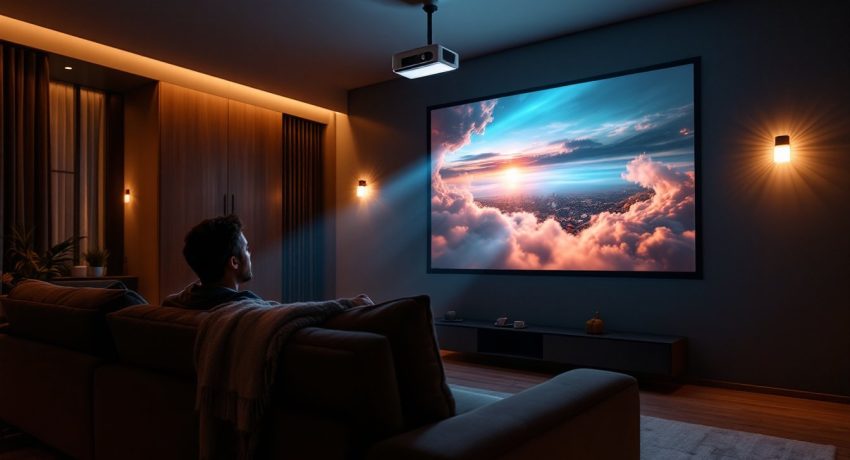
ToggleSetting up a home theater doesn’t mean buying a massive television that dominates your living room. A quality home theater projector transforms a blank wall into a cinema experience, and 2026 brings more affordable, reliable options than ever. Whether you’re watching movies, streaming sports, or gaming, finding the best home theater projector for your space comes down to understanding brightness, resolution, and room conditions. This guide walks you through the key features to evaluate, explains different projector technologies, and highlights top-rated home theater projectors across every budget so you can make a confident purchase without the guesswork.
Key Takeaways
- A quality best projector for home theater depends on three critical specs: brightness (measured in lumens), resolution, and contrast ratio—not just the newest technology or highest price tag.
- Lumen requirements vary by room: dark dedicated theater rooms need 1,000–1,500 lumens, while living rooms with ambient light require 2,000–3,000 lumens or more to maintain image clarity.
- The jump from 1080p to 4K is less noticeable on projectors viewed from 8–12 feet away, so prioritize contrast ratio (5,000:1 or higher) over resolution for true image quality improvement.
- Mid-range projectors ($800–$2,000) offer the best value for most homeowners, delivering solid brightness, reliable contrast, and essential features like lens shift and keystone correction.
- Budget 20–30% extra for ancillary costs beyond the projector itself, including quality mounts, motorized screens, and professional installation, to ensure a polished final setup.
- Test projectors in your actual room lighting conditions and read long-term owner feedback on specialized forums before purchasing—a week of research prevents costly regret.
Key Features To Consider Before Buying A Home Theater Projector
Before comparing specific models, nail down the specs that actually matter for your setup. Focusing on brightness, resolution, contrast, and throw distance saves time and money later.
Brightness and Lumens: Finding the Right Intensity for Your Space
Lumens measure how much light a projector outputs. This is your first hard decision, and it depends entirely on your room. A dedicated dark theater room with blackout curtains? You can get away with 1,000–1,500 lumens. A living room with ambient light from windows or lamps? You’ll need 2,000–3,000 lumens minimum, sometimes more.
Here’s the practical breakdown: dim the lights in your space to what you’ll actually use during viewing, then measure if text on your phone is readable from the seating distance. That tells you how much ambient light you’re fighting. Higher lumen ratings also make larger projected images appear brighter and more vivid. A 2,500-lumen projector looks sharper at 120-inch screens than a 1,200-lumen model, even in darkness.
One caveat: more lumens means higher power consumption, more heat, and often more fan noise. If your room is truly dark and small, oversizing lumens is wasteful.
Resolution and Image Quality: 4K vs. 1080p for Home Viewing
The jump from 1080p to 4K on a projector is smaller than on a TV. At typical viewing distances (8–12 feet back), most people don’t see dramatic pixel-level improvements, especially on screens under 100 inches. That said, 4K projectors have gotten cheaper, and they future-proof your setup.
For best projectors for home theater, think about content: if you’re streaming 4K movies on Netflix or watching 4K gaming, 4K resolution matters. If you’re mostly watching broadcast TV or Blu-ray movies, 1080p is fine. Contrast ratio, the difference between the brightest whites and deepest blacks, affects perceived image quality more than raw resolution. Look for a ratio of at least 5,000:1, ideally higher. A good home theater projector with strong contrast at 1080p beats a mediocre 4K unit.
Projector Types: Which Technology Works Best for Your Setup
Three main projector technologies dominate the home theater market, and each has trade-offs.
DLP (Digital Light Processing) uses a spinning color wheel and thousands of tiny mirrors. It’s durable, handles bright environments well, and delivers sharp images. The downside: some people notice a “rainbow effect” in their peripheral vision, and fan noise can be noticeable in quiet rooms.
3LCD technology splits light into three color channels, giving excellent color accuracy and no rainbow effect. 3LCD projectors run cooler and quieter than DLP, making them ideal for dedicated home theater rooms where quiet is critical. They’re also forgiving with longer lens throw, so they work in more room configurations.
Laser and LED projectors represent the newest wave. Top rated home theater projectors using laser technology deliver superior brightness and contrast, plus virtually unlimited lamp life (20,000+ hours). They’re pricier but save money on replacement lamps over time. LED projectors are compact and generate less heat, but brightness lags behind laser and traditional lamp-based options.
For most homeowners, CNET reviews of smart home technology and connected devices often include projector recommendations that balance noise, heat, and image quality. Your room layout matters: if you’re mounting the projector far from the screen (long throw), DLP excels. If you’re cramped for space, a short-throw laser projector is your friend.
Top Projector Recommendations Across Price Points
Picking a projector without testing one is risky, so I’ve focused on models with solid track records and real user feedback.
Budget-Friendly Options Under $500
In this range, you’re looking at 1080p or entry-level 4K, typically 1,500–2,000 lumens. Expect trade-offs: smaller throw distances, noisier fans, or weaker contrast.
A popular choice here is the Anker Nebula Capsule 3 series, ultra-portable, decent brightness for small rooms, and good battery backup for outdoor use. If you want something more traditional, look for refurbished or last-generation models from established brands like Epson or BenQ. They perform well at this price point because they’re proven designs, not experimental tech.
Important: test in-store if possible. A $400 projector that needs a $200 lens adapter or an extra $150 ceiling mount becomes a $750 project fast. Budget for a quality projector mount and, if needed, a motorized screen. These aren’t optional add-ons, they determine whether your setup looks professional or cobbled together.
Mid-Range Projectors: The Sweet Spot for Most Homeowners
This $800–$2,000 band is where good projectors for home theater live. You get solid brightness (2,000–2,500 lumens), reliable contrast, and features like lens shift, keystone correction, and wireless casting.
Popular models in this range include the Epson Home Cinema series and BenQ EH600, both proven performers with minimal noise. Tom’s Guide reviews of the best projectors frequently highlight options in this price band, noting that they balance brightness, ease of setup, and reliability.
At this level, you’re buying from companies with strong warranty support and easy bulb replacement. If a projector dies after two years, you won’t lose your house payment. Choose a model with sufficient lumens for your room (not undersized), good keystone correction so you don’t need perfect ceiling alignment, and native 1.5× zoom so you can adjust screen size without moving the projector. Avoid impulse buys: spend a week reading reviews on specialized forums like AVS Forum, where real owners share long-term impressions.
<h2 id="” data-id=””>Making Your Final Decision
The best home theater projector isn’t always the brightest or the newest. It’s the one that fits your room, your budget, and your actual viewing habits. A 4K projector gathering dust because it’s too bright for your dark room is a waste. A 1,500-lumen model that leaves you squinting in ambient light is frustrating.
Start by measuring your space, testing brightness in your lighting conditions, and watching demo footage if your retailer allows it. Factor in ancillary costs: mounts, screens, audio systems, and cables. Plan for professional installation if electrical work is needed or if ceiling mounting requires drilling through joists or conduit.
Read recent Digital Trends reviews of home automation and tech for up-to-date model comparisons and user feedback. After narrowing your choices, join an online home theater community, ask specific questions about the two or three finalists, and learn from other homeowners’ experiences. The small time investment now saves headaches and regret later.